Setmore and Calendly show up together in almost every “best scheduling software” list on this site, and for good reason — both have real free plans and both work well for small businesses. But they’re built around different core use cases, and picking the wrong one for your situation means fighting the tool instead of using it. Here’s how they actually compare in 2026.
The Core Difference
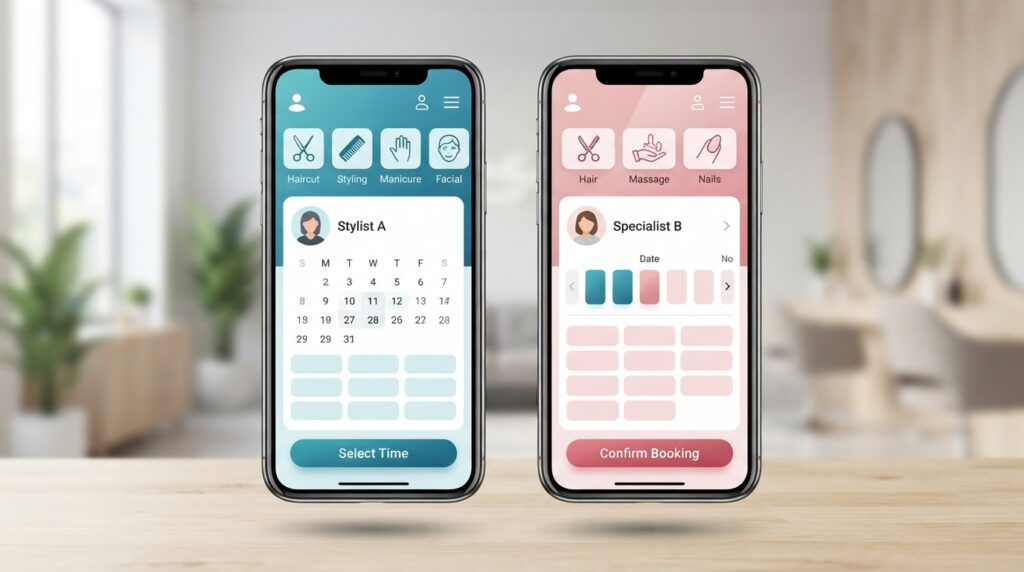
Calendly was built for B2B meeting scheduling — sales calls, demos, interviews, consultations — where the main job is letting someone book 30 minutes on your calendar without email back-and-forth. Setmore was built for appointment-based service businesses — salons, clinics, coaches, studios — where clients book a specific service, often pay at booking, and the business needs staff calendars and service menus, not just meeting slots. Multiple independent comparisons converge on the same framing: Calendly is the stronger pick for outbound/inbound B2B workflows, while Setmore fits service businesses that need appointment and payment management built in.
Free Plan Comparison
Calendly’s free plan is genuinely limited: one event type, one connected calendar. If you offer more than one type of appointment (a consultation call and a paid session, for example), the free plan can’t handle both at once — you’d need to upgrade to Standard.
Setmore’s free plan is broader for a service business: up to 4 users, 200 appointments/month, a branded booking page, and — unlike Calendly’s free tier — integration with Stripe, Square, and PayPal for payment collection even without upgrading. For a small service business that wants to start collecting payment at booking without paying for software first, Setmore’s free plan goes further.
Pricing at the Paid Tiers
| Calendly | Setmore | |
|---|---|---|
| Free plan | 1 event type, 1 calendar | 4 users, 200 appts/mo, payments included |
| Entry paid plan | $10/seat/mo (annual), $12 monthly | $5/user/mo (annual), $12 monthly |
| Team plan | $16/seat/mo (annual) | Same Pro tier, per additional user |
| Group/class booking | Limited | Supported, even on free plan |
| Time zone handling | Widely considered the smoothest of any tool in this category | Supported, less refined than Calendly’s |
Where Calendly Wins
Time zone handling — if you’re booking clients across multiple time zones (online coaching, consulting, international clients), Calendly’s time zone detection is consistently rated as the cleanest experience.
Integrations and CRM connections — Calendly connects more deeply with tools like HubSpot, Salesforce, and Zoom, which matters if scheduling needs to plug into a broader sales or marketing workflow.
Simplicity for a single service type — if you only ever book one kind of appointment (a single consultation type, for example), Calendly’s minimal setup gets you running faster.
Where Setmore Wins
Group and class bookings — Setmore supports multiple people booking into one time slot (a fitness class, a workshop), which Calendly handles poorly or not at all.
Payment collection on the free plan — Setmore integrates Stripe/Square/PayPal without requiring a paid upgrade, unlike Calendly.
Staff and service menu management — for a business with multiple staff members offering different services (a salon, a clinic), Setmore’s structure fits more naturally than Calendly’s meeting-first design.
Branding and booking page customization — several independent comparisons note Setmore offers more control over the booking page’s look, useful for a business that wants its brand front and center rather than a generic scheduling link.
Customer Support Comparison
Setmore offers 24/7 support even on its free plan, which is unusual — most tools gate real-time support behind a paid tier. User reviews describe Setmore’s support as responsive, though some report needing workarounds for edge cases the interface doesn’t handle natively. Calendly’s support quality scales with plan tier: free-plan users get email/help-center support, while paid tiers unlock faster response times and, at Teams/Enterprise level, more direct account support. For a solo business owner without a dedicated admin, Setmore’s free-tier 24/7 support can matter more day-to-day than it might seem on a feature checklist.
Ease of Setup and Learning Curve
Calendly is widely regarded as faster to get running — connect a calendar, set your availability, share the link, and you’re live in minutes, which fits its meeting-first design. Setmore takes a bit longer to configure properly because there’s more to set up: staff members, individual service menus with durations and prices, and payment integration. That upfront setup time pays off for a service business that actually needs those features, but it’s a real cost if you’re comparing “time to first booking” between the two. Several reviewers note Setmore’s interface can feel more crowded for a first-time user precisely because it’s doing more than a pure meeting scheduler.
Which One Should You Choose?
Running a service business with staff, service menus, or group bookings (barbershop, salon, fitness studio, clinic): Setmore is the better structural fit, and its free plan goes further for this use case.
Booking 1:1 consultations or calls, especially across time zones (coaching, consulting, online tutoring with international students): Calendly’s cleaner time zone handling and integrations make it worth the slightly higher price.
Undecided: both have real free plans, so testing each with your actual booking flow for a week costs nothing but time.
Frequently Asked Questions
Can I collect payment at booking on Calendly’s free plan?
No — Calendly’s free plan doesn’t include Stripe payment collection; that requires the Standard plan ($10/seat/month annual). Setmore includes payment integrations even on its free plan.
Which is better for a business with multiple staff members?
Setmore, structurally — it’s built around staff calendars and service menus, while Calendly’s per-seat model is designed more around individual professionals booking their own meetings.
Which has better time zone support for international clients?
Calendly. Its time zone detection is consistently rated as the smoothest among general scheduling tools, which matters for online coaches or tutors with students in different regions.
Can I run a class or group session on Calendly?
Not well. Calendly is built around one-to-one meeting slots; Setmore natively supports multiple people booking into a single time slot, which fits group classes and workshops.
See our full comparisons using both tools in context: personal trainers, yoga studios, and tutors and coaches.